Jedox uses GraalPy to offer Python 3 scripting support. The security sandboxing and the limits of interoperability with Java can restrict some functionalities.
Currently, only Python Standard Library is supported.
Function Editor
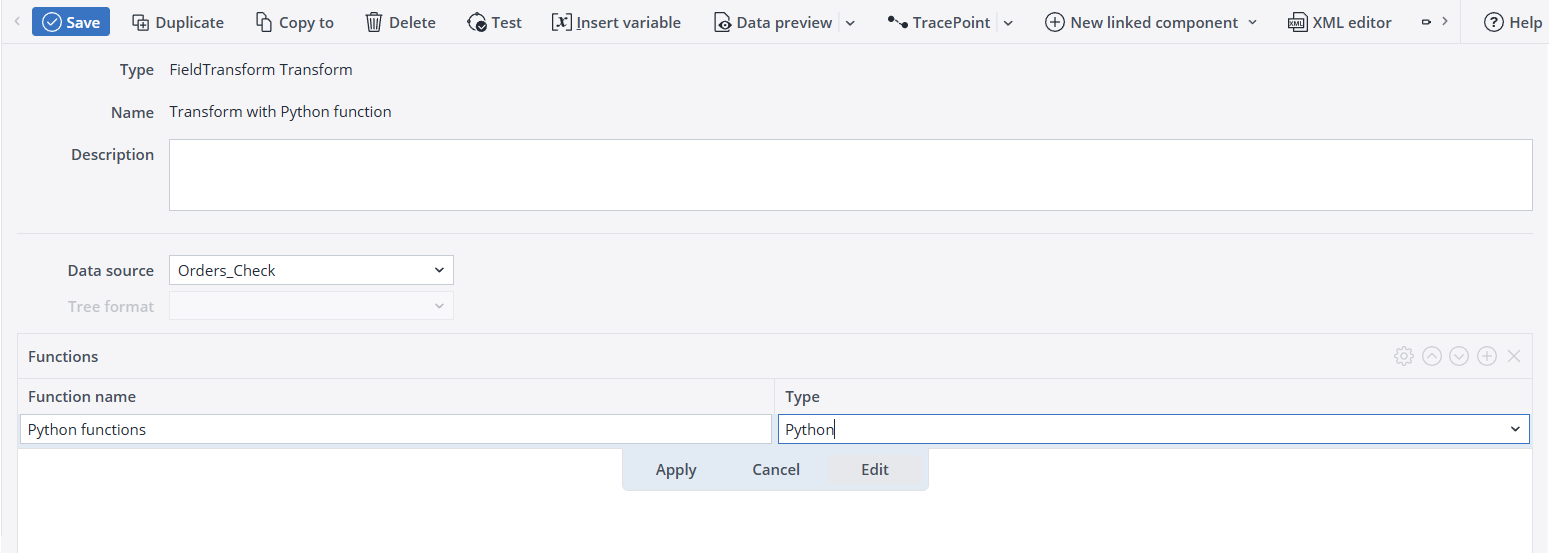
To add a Python function to a FieldTransform, click on the plus icon in the FieldTransform Functions area. Double-click in the Function name field and enter a name for the function, then double-click in the Type field and select Python. Click Edit to open the editor.
Python function editor:
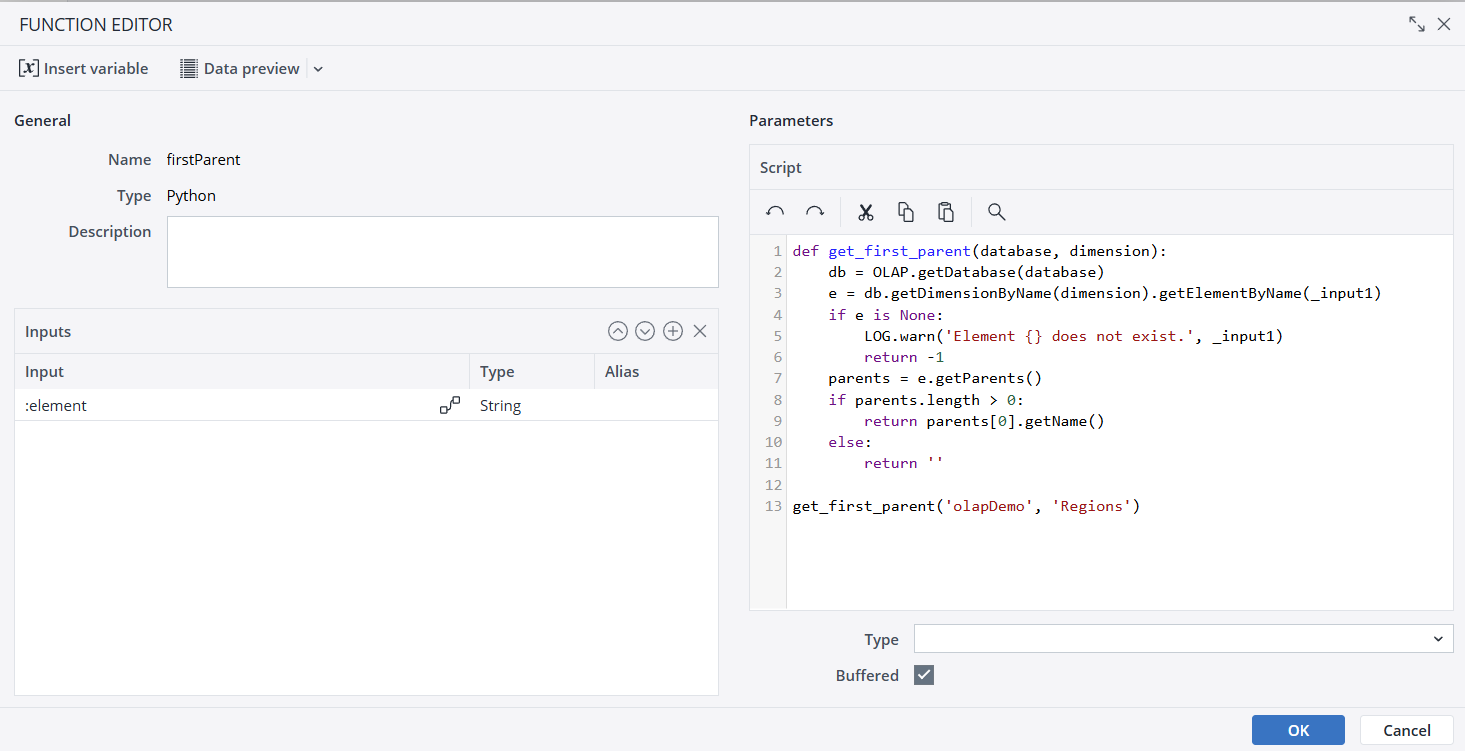
Python has very strict indentation rules, and copying and pasting code from another editor can lead to compilation errors. If that happens, it's advisable to rewrite the tabs inside the Jedox editor.
Input fields
The input fields can be used in the script as Python variables under the following conditions:
- If an alias is defined for the input field, it defines the Python variable name. The alias must be a valid Python variable name, and not be a Python reserved word.
- If no alias is defined, then the name of the input field is the Python variable name. In that case, it must be a valid Python identifier name.
- Additionally, the variable name in the form "_input<i>" can also be used where <i> is the position of the input field. For example, "_input1" can be used for the first input field and "_input2" for the second.
A type can be assigned to each input field that defines the type of the Python variable in the script. If necessary, a type conversion of the input data is done before the script is executed (with the exception of Object type, which does no conversion and keeps the input type). This is especially helpful for numerical inputs and calculations.
Parameters
| Script | Python script to be executed |
| Buffered | If set, the function results are cached and the script is not evaluated for identical input values (default). If not set, the script is always evaluated for all rows. This is necessary if the result depends on the row number or a random number generator. |
| Type | The data type of return value. The default data type is string. The assignment of a type is optional. |
A variable can be used at the end of a script to use it as output:
counterString = API.getProperty("#Counter")
if counterString is None:
counter = 0
else:
counter = int(counterString)
if _input1 == _input2:
counter += 1
else:
counter = 1
API.setProperty("#Counter","" + str(counter))
counterOr by defining a function and calling the function at the end of the script:
def get_position(database, dimension):
db = OLAP.getDatabase(database)
e = db.getDimensionByName(dimension).getElementByName(_input1)
if e is None:
LOG.warn('Element {} does not exist.', _input1)
return -1
return e.getPosition()
get_position('olapDemo', 'Regions')A python script cannot be gracefully interrupted. In order to stop a long running python script, the load or job must be stopped twice, leading to an immediate interruption.
Besides the functionality offered by Python, specific Jedox Integrator functionality can be used via the Jedox Integrator Scripting API.
Note that UI interactions are not available in the sandbox.
Notes
- Python print() functionality will not work. In order to log messages, use the Jedox integrated API (Ex. LOG.info("message"))
- FILEAPI is still not supported in Python.
- The scripting functions (undo, redo, copy, paste, and search) are only limited to the current function.
Sandbox
Our priority is to offer a secure environment for running Python scripts. For that reason, accessibility to third-party libraries will be made available if they are secure. For the same reason, some functionalities, such as File and Network access, are removed from our Python runtime environment. For network calls, a REST connection can be integrated through the Jedox Integrator Scripting API.
Updated April 30, 2026