 New Jedox Integrator UI
Jedox Integrator has a redesigned interface built on direct user feedback. The new UI brings a consistent look and feel across all component editors, with a focus on usability and efficiency. You can switch between the legacy UI and the new UI at any time using the toggle in the Jedox toolbar.
Note: the new Integrator UI is not yet feature-complete. Functionality available in the legacy UI will be added over time; refer to the Release Notes for updates.
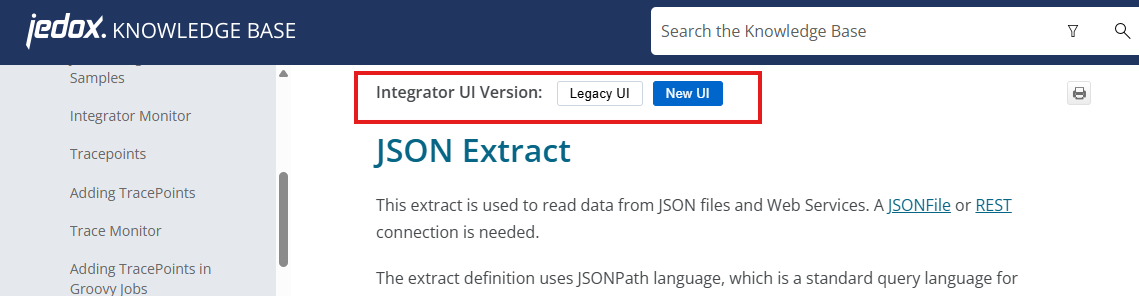
The Knowledge Base provides documentation for both the new and the legacy UI. To toggle between versions, click the button at the top of the KB article (see screenshot below). Note that the toggle only appears when there are differences in functionality.
What's new
New and enhanced features in the Integrator UI:
Monitor
- Monitor opens automatically when a job or load is triggered.
- Execution history filtering — Filter the execution history table by status, execution type, user, date range, component name, project name, and ID. Results update dynamically. Includes a Duration column that shows elapsed time for completed and in-progress jobs.
- Column reordering — Columns can be dragged and dropped, added and removed.
- Log panel — Search log history in the Monitor in real time as you type. Works alongside existing log filters.
- Jump to latest message — Option under "Run details" automatically goes to the latest log message so you don't have to scroll to it.

Flowgraph
- Zoom and fit-to-screen — Zoom in and out using UI buttons or mouse controls, with a fit-to-screen option.
- Change Flowgraph direction: the Flowgraph direction can be set horizontally or vertically, left to right or right to left.
Project view
- Component count — Displays the total number of components in a project at a glance.
- View with / without hierarchy — helpful when viewing a tree with many components.
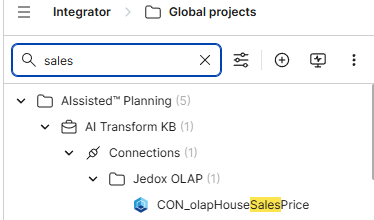
- Filter tree — Search across all projects by component or project name, and filter by component type.
Extracts
- Cube Delta Extract — Extract only new or changed data since the last extraction, rather than reloading the full dataset. Supports dimension selection, cell type (base or consolidated), value type (string or numeric), element filtering by operator, and delta mode selection.
- Redesigned Calendar Extract — Rebuilt with a level-based interface. Hierarchy levels (years, quarters, months, weeks, etc.) can be enabled or disabled independently. Selecting a level opens its configuration, including pattern, start/end dates, time-to-date settings, and attributes. Configuration is preserved when switching between levels.
Scripting
- Python function — Python is now available as a scripting option in Field Transform functions, alongside the existing Groovy and JavaScript options.
- Duplicate function — Functions in the Field Transform editor can now be duplicated from the context menu.
This Jedox Academy video outlines some highlights of the new Integrator UI.
Updated October 13, 2026