Rule templates can be dynamically updated if the database structure changes. In the example in Creation of Rule Templates, the "Products" dimension could be extended with a new type of Desktop product, which also requires a rule. In this case, it is enough to update the instance rules, which can be done by right-clicking a specific cube or a database in the database tree in Modeler and selecting the "Update rule templates" option from the context menu.
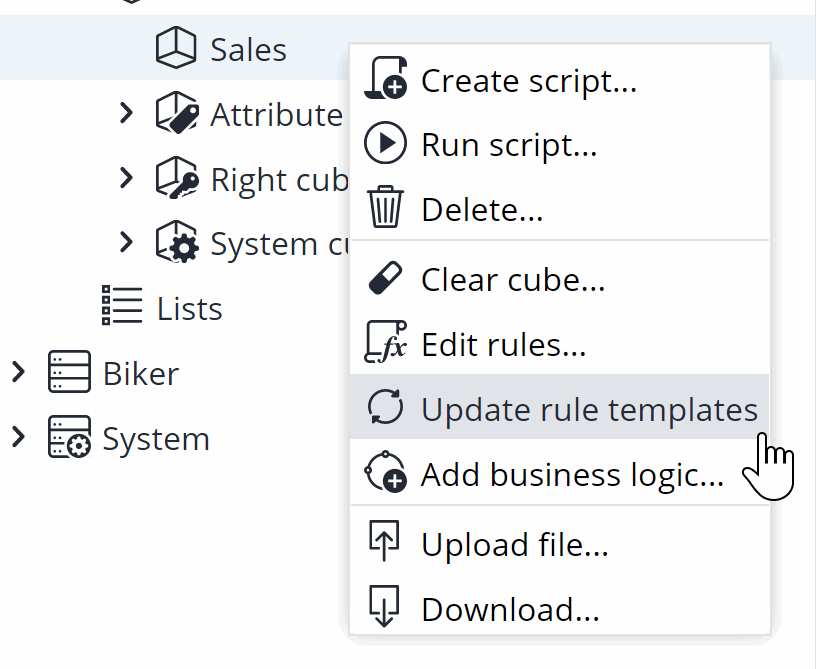
You can also edit the rule template itself, like any other static rule. Upon saving the changes, the rule instances of the template are also updated.
Notes and restrictions
- Rule template definitions must be manually updated and instances refreshed if an object name changes. Objects include databases, cubes, dimensions, elements, and attributes.
-
Rule instances are by default limited to 1000 rules from one template. Queries that have more than 1000 results return an error message, and no rule instances will be created in this case.
Update of instances via Integrator
After a database is modified in the execution of a Jedox Integrator project (load or job), it may be necessary to update rule instances; for example, if the source dimension for a rule template changes. To update the rule instances, use the Integrator load type JedoxDatabase.
Updated May 19, 2026