This article describes how Lists can be made dynamic using variable expressions and attributes. It explains dynamic List elements, dynamic display labels, and simplified expressions, and shows how Lists react to the View context to display context-sensitive data.
Dynamic Lists
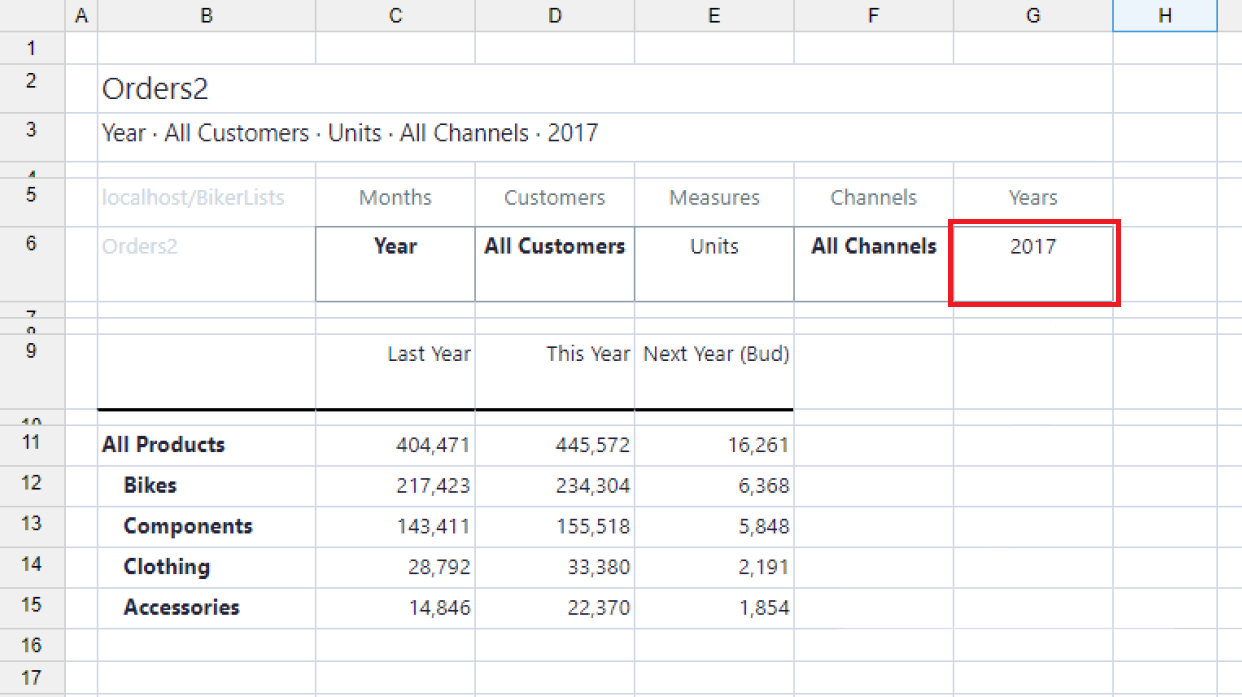
The element names are not hard-coded in a List, and you can use a variable expression (which is a reference to the header of the View) as an element name. For example, to make the above List dynamic, replace the years 2017, 2018, and 2019 with ${"Years"-1}, ${"Years"}, and {"Years"+1}.1 You can now use the Years dimension in the View header too:
Dynamic List labels
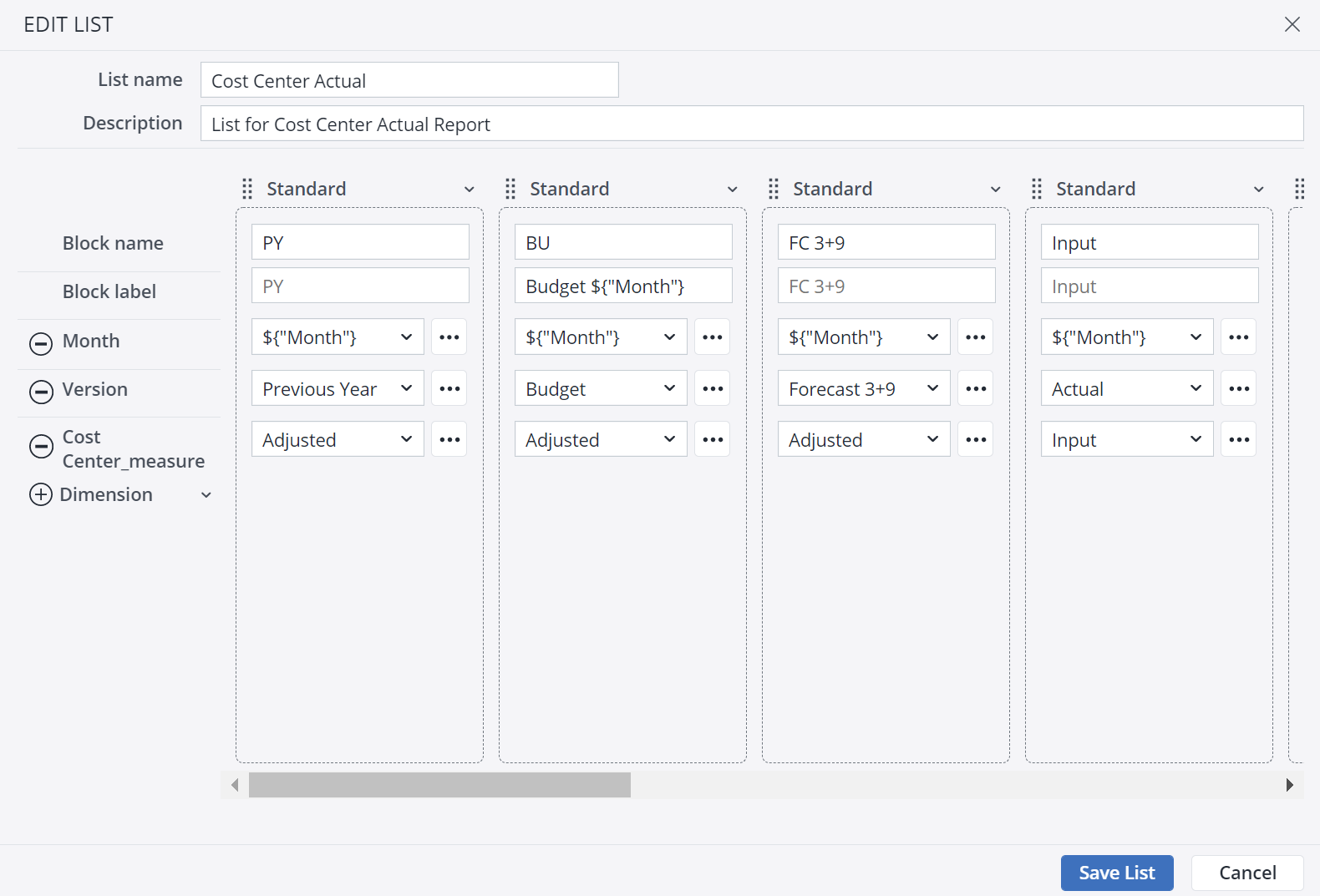
When creating Lists, it is possible to define a dynamic display label too. This functionality makes the View more understandable to the end user, as it provides context for the data they are looking at. In the screenshot below, the first List Block has a standard label, while the second List Block has a dynamic List label. If the label is empty or in the default state, the List uses the Block name instead.
Using simplified expressions
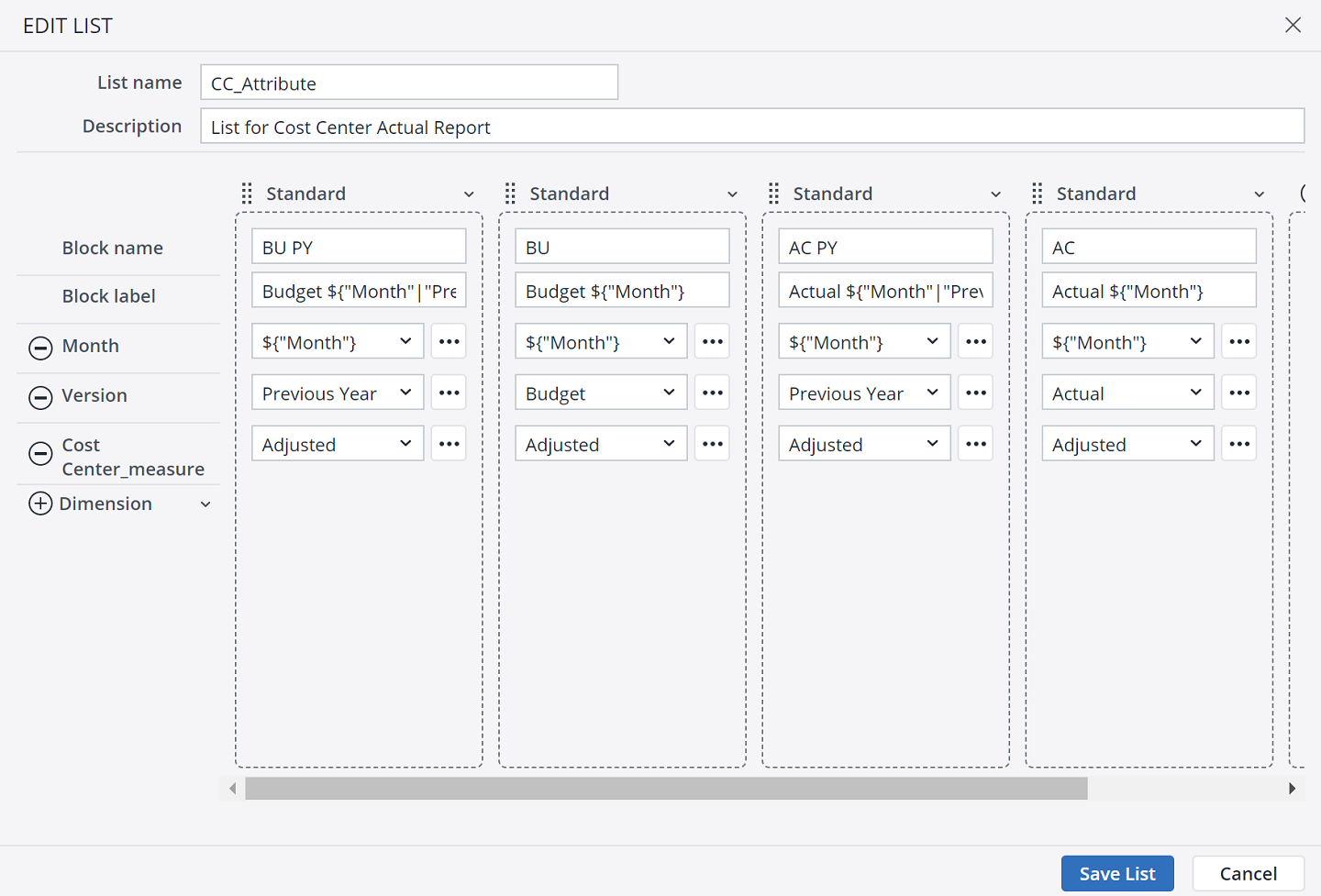
With the simplified expression ${dimensionname|attribute} you can easily get an attribute value within a List definition. When you use this expression in a List (within the selection of dimension element/s), the List will use the attribute value of the dimension of the view context.
A good and common example of using attribute values in a List is referring to a previous year to show some Actuals from last year next to forecast or planning periods. A dimension reference within a block could be something like: ${"Month"|"PreviousYear"}
When the dimension "Month" is set to "2022" in the POV section of the view, the above expression would result in using the element "2021" for this block. The same syntax could then also be used in the block label, e.g., ACT PY (${"Month"|"PreviousYear"}) This results in the label "ACT PY (2021)" presented in the view.
Next step: Working with Lists in Views
Updated June 26, 2026