Return to Financial Consolidation Model Overview.
Jedox XBRL reporting enables organizations to generate regulator-ready XBRL filings directly from their consolidated financial data. The solution is fully integrated with Jedox Financial Consolidation, allowing values to flow directly into XBRL formats without manual intervention or additional transformation steps. This direct mapping approach significantly reduces operational risk while ensuring consistency between management reporting and statutory reporting. Jedox XBRL Reporting supports major regulatory frameworks such as ESMA ESEF in Europe, SEC filing requirements in the United States, and IFRS-based reporting. By combining consolidation, disclosure management, report generation, and validation in a single workflow, Jedox ensures that financial reports remain accurate, transparent, and fully auditable throughout the entire regulatory reporting process.
License
The XBRL reporting process in Jedox follows a structured workflow that starts with licensing, continues with taxonomy and mapping configuration, and ends with automated report creation and validation. Before any reporting functions become available, application designers must enter the XBRL license information in the model settings. Until a valid license is provided, the XBRL cockpit remains inactive and indicates that the feature is not available.
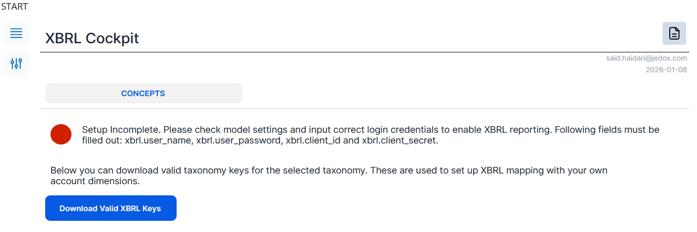
Once the license is entered, the cockpit becomes active and all configuration and reporting functions can be accessed.
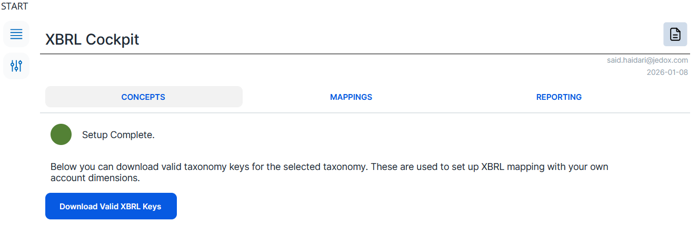
XBRL report keys
After licensing, the next step is to obtain the relevant XBRL taxonomy concepts that will be used in the report. Application designers can download the valid taxonomy keys directly from the cockpit by selecting the required taxonomy (from the top-left drop-down menu) and triggering the download of the available XBRL concepts.
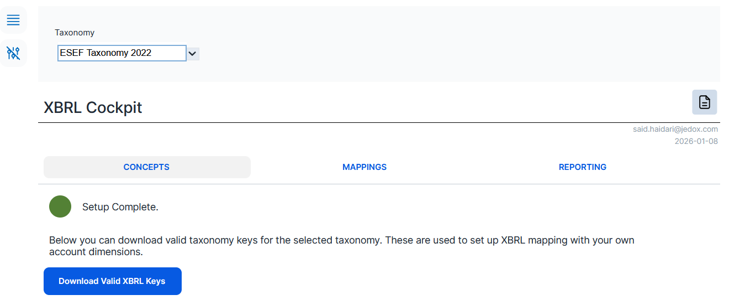
These taxonomy keys represent the standardized reporting elements that regulators expect in XBRL filings. At present, Jedox provides support for the ESEF Taxonomy 2022 and the KvK NL GAAP Micro Taxonomy 2020. If additional taxonomies (for example SEC filing taxonomy) are required, a request must be submitted to have them made available in the system.
Mapping chart of accounts to taxonomy concepts
Once the taxonomy concepts are available, the next step is to define the mapping between those XBRL concepts and the company’s chart of accounts. This is done in the Mappings area of the XBRL cockpit, where designers can create, modify, remove, import from Microsoft Excel, or download mappings between taxonomy keys and financial accounts.
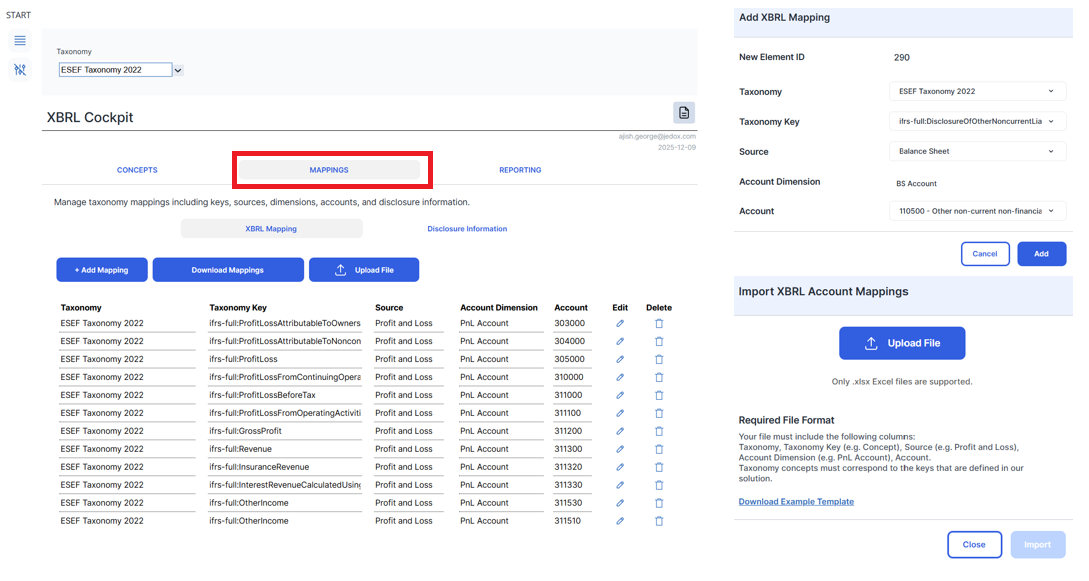
These mappings instruct Jedox which cube values should be used to populate each XBRL element. During report generation, the system automatically retrieves the mapped account values from the consolidation cube and inserts them into the XBRL report. All account-based mappings are stored in the XBRL Mapping dimension.
Disclosure information entry
In addition to account-based values, XBRL reports also require disclosure information that is not derived from financial accounts. These disclosures include narrative or contextual data that may change from period to period, such as company details, reporting scope, or explanatory notes. In Jedox, these disclosures are maintained separately from account mappings.
Designers can manage them in the Disclosure Information area, where concepts are mapped to explicit values instead of accounts. This information is stored in the Disclosure Line dimension and the Disclosure Information cube and is included automatically when XBRL reports are generated. The disclosure information entries are downloaded together with the mapping under the XBRL Mapping tab.
Creating XBRL reports
After all mappings and disclosure information have been defined, the XBRL report can be created from the Reporting area of the cockpit.
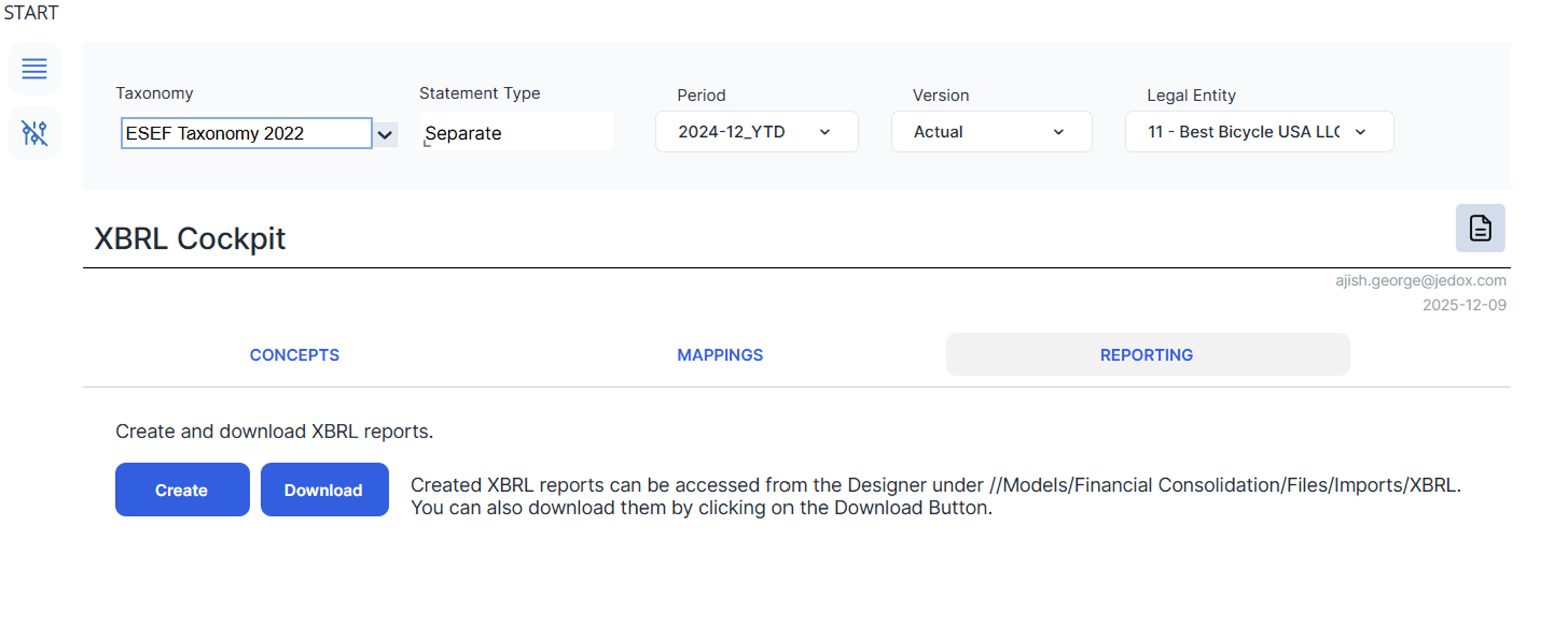
Designers can select the relevant reporting options, such as whether the report should be based on separate or consolidated statements, and then start the report creation process. Jedox generates three downloadable files, including the XBRL report in both TXT and HTML formats and a validation report in HTML format. The validation file shows whether the generated report complies with the rules defined by the selected taxonomy. These rules are defined by the taxonomy owners and documented in the official taxonomy documentation.
Updated May 19, 2026