Return to the Financial Consolidation Model Overview
Intercompany elimination in the Financial Consolidation model is used to eliminate transactions between legal entities and partner entities that belong to the same group. The objective is to avoid double counting in group reporting and to produce accurate consolidated financial statements. Typical intercompany transactions include internal sales, internal loans, and interest on those loans. If these were not eliminated, revenues, expenses, assets, and liabilities would be overstated because the same business activity would be counted multiple times inside the group. The Jedox Financial Consolidation Model automates this entire process by combining intercompany cubes, consolidation rules, and posting logic into a single, traceable workflow.
This article explains how intercompany eliminations are set up, how data flows through the model, and how users monitor and validate the results.
Conceptual overview of the intercompany process
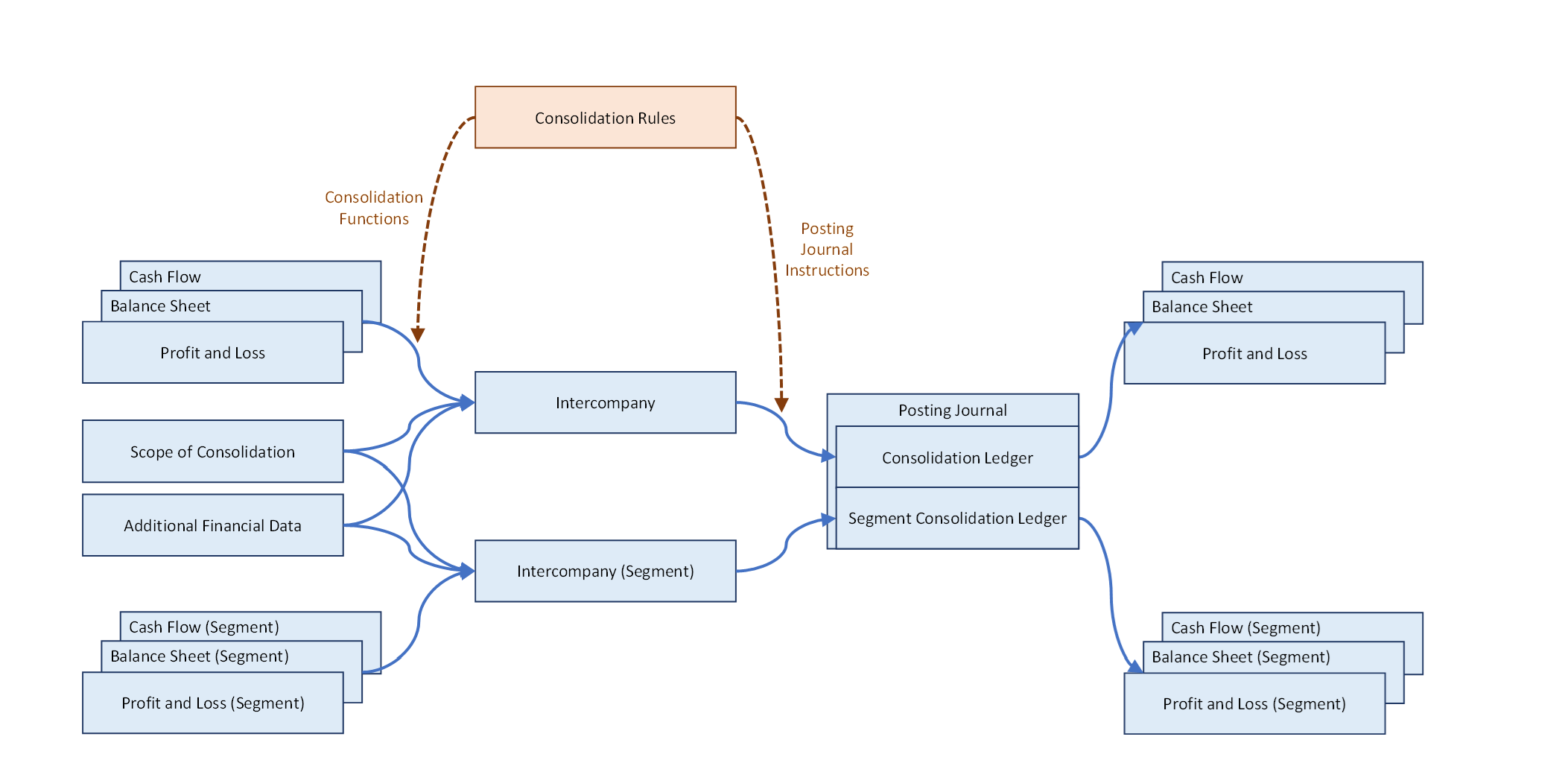
At a high level, intercompany elimination in Jedox is driven by the interaction between three main layers:
-
Source and fact cubes: Financial data from ERP systems is loaded into fact cubes such as Balance Sheet, Profit and Loss, Cash Flow, and their segment equivalents.
-
Consolidation logic and intercompany structures: Consolidation rules, together with the Intercompany cube and the Intercompany Segment cube, identify reciprocal transactions between legal entities and partner entities that belong to the same group.
-
Posting and reporting layer: Posting journal instructions embedded in consolidation rules create elimination and adjustment entries in the Posting Journal. These entries update the Consolidation Ledger and Segment Consolidation Ledger, and are then pushed back into the fact cubes so that all financial statements reflect the consolidated values.
In practice, this means that values flow from the fact cubes into the intercompany structures, are processed by consolidation rules, and then return as elimination postings that adjust the group results.
In addition to transactional data, the model also uses the Scope of Consolidation cube and Additional Financial Data cube. These provide essential context such as ownership, consolidation method, and group structure, which is required to correctly derive intercompany values.
Tagging intercompany accounts
The model must first be able to recognize which accounts are intercompany accounts and how they should be eliminated. This is done through attributes in the chart of accounts dimensions.
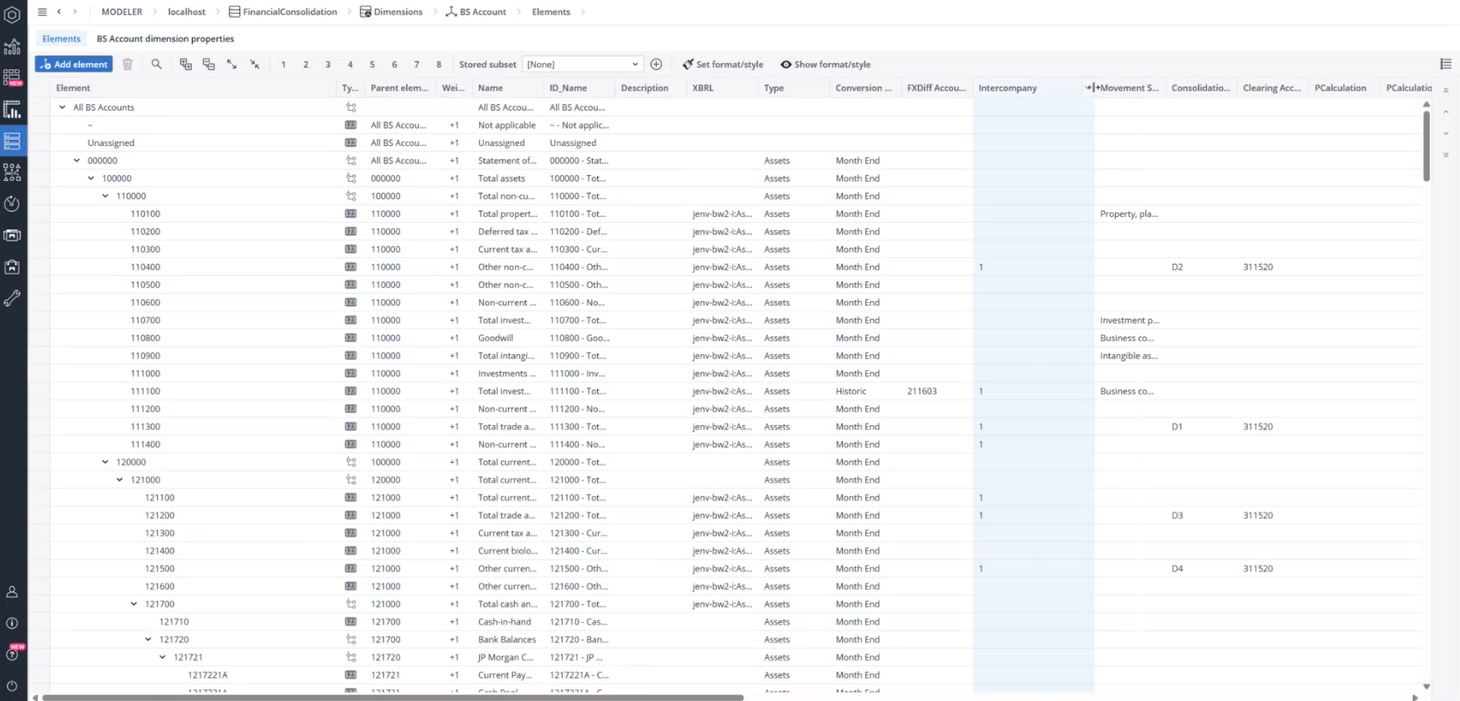
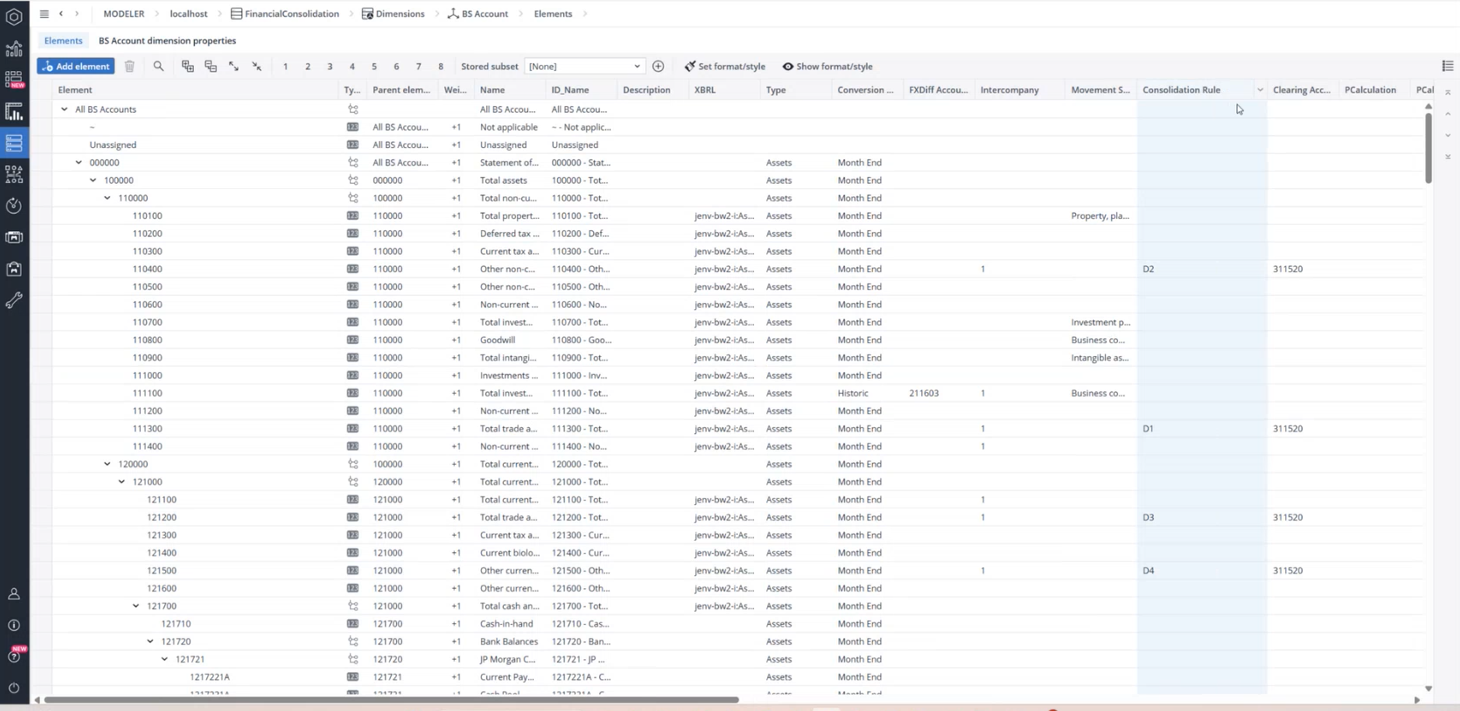
In the BS Account (and similarly in P&L and Cash Flow), two key attributes are used:
-
Intercompany: This attribute identifies whether an account is an intercompany account. Empty means the account is not intercompany-related, while 1 means it is.
-
Consolidation Rule: This attribute specifies which consolidation rule applies to the account, for example D1, D2, D3, or D4.
These attributes tell the model which balances must be picked up for intercompany processing and which rule should be used to eliminate them.
Under the Intercompany Account dimension, all intercompany logic is grouped under All Intercompany Matchings. This section contains the so-called D and S rules. For example:
-
D1 matches trade receivables with trade payables within a subgroup.
-
D2 matches non-current financial assets with financial liabilities.
-
D3 and D4 handle other current and non-current reciprocal balances within the group.
Each rule defines not only which accounts are involved, but also which transaction types should be considered. In the consolidation rule lines, regular expressions or explicit transaction types determine which postings are picked up for elimination.
How intercompany relationships are stored
For every intercompany rule, the Intercompany Account dimension stores a combination of:Consolidation function, Account, Transaction type, Consolidation level
This combination defines exactly which values are extracted from the fact cubes and how they are interpreted as intercompany balances between a legal entity and a partner entity. All these definitions sit under All Intercompany Matchings and drive the population of the Intercompany cube.
The Intercompany Matrix report
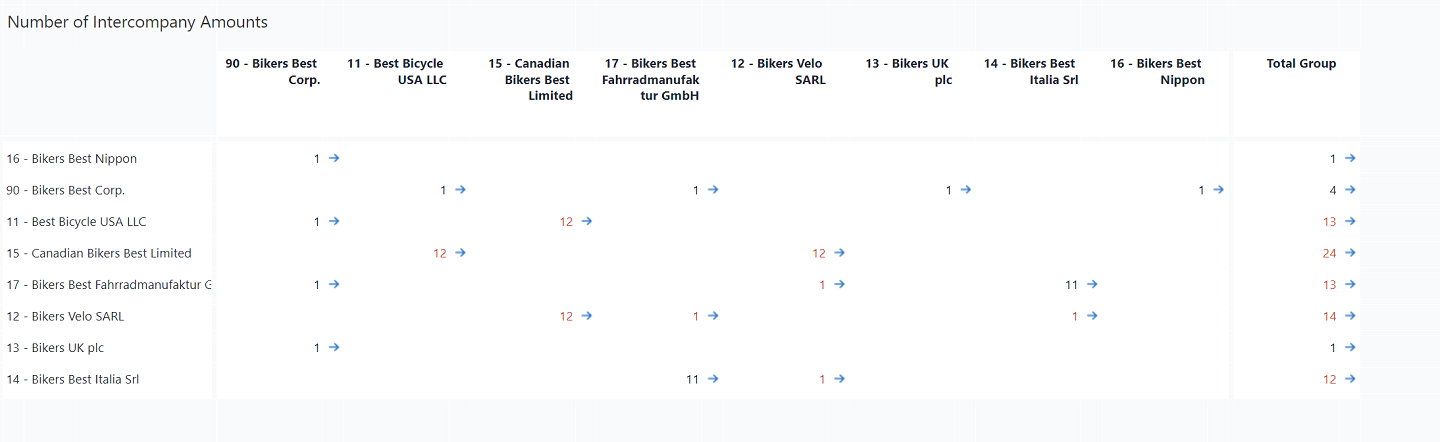
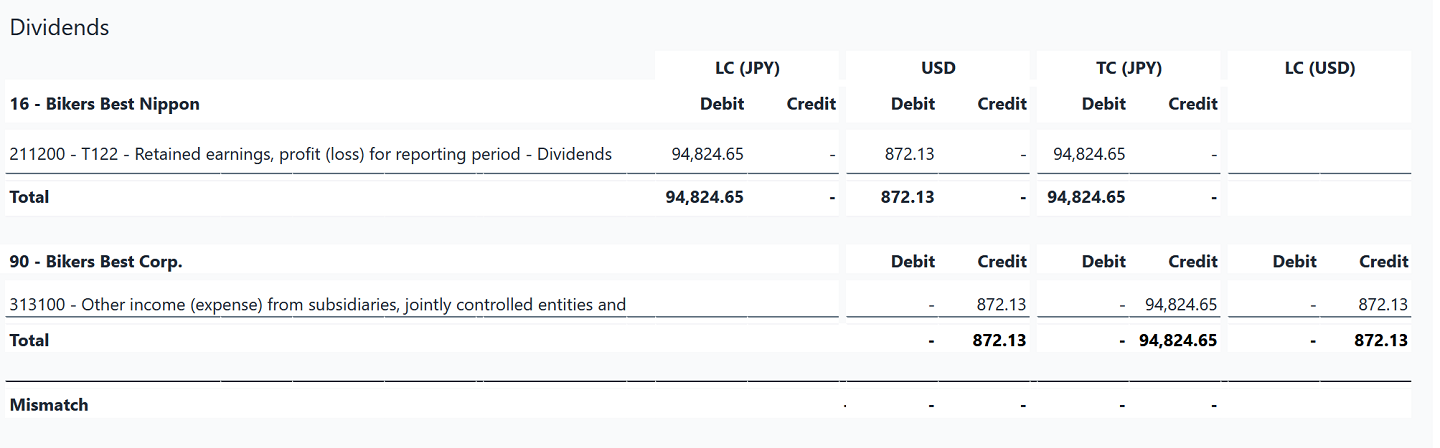
The Intercompany Matrix is the central reconciliation tool for intercompany transactions. It shows all legal entity and partner entity pairs and summarizes, the number of relationships, the total intercompany amounts, any mismatches, and any currency differences.
Red numbers indicate discrepancies between the two sides of a relationship, such as one entity reporting a receivable while the partner reports a different payable amount.
The matrix is not only a visual summary. It is a control point that allows users to verify that all intercompany balances are consistent before running the consolidation.
Drilling down into intercompany details
From the Intercompany Matrix, users can drill down into Intercompany Relation reports. For each pair of legal and partner entity, these reports show,: accounts and transaction types; Local, group, and elimination currencies; the amounts on both sides; and any remaining differences.
If a discrepancy appears, users can jump directly to the Analyze Consolidation Rule report. This allows advanced users to inspect and, if necessary, adjust the calculation logic behind a rule so that it reflects their organization’s specific requirements.
The Intercompany Cube
When consolidation rules are configured or changed, the Update Consolidation Rules procedure must be executed. This updates the Intercompany Account dimension and triggers a recalculation of the Intercompany cube.
The Intercompany cube stores data by Version, Month_YTD, Scope, Legal Entity, Partner Entity, Currency, Intercompany Account, and Intercompany Measure. A corresponding structure exists for segments in the Intercompany Segment cube.
Unlike the fact cubes, the Intercompany cube contains cube rules that automatically convert local currency values into group currency. This allows users to identify mismatches already in group currency terms before any postings are made.
Executing the consolidation
All consolidation procedures, including intercompany elimination, are executed from the Consolidation Manager. After selecting Version, Month_YTD, and Scope, the user runs the process via the Consolidate action.
During execution, the system applies all consolidation rules, including:
-
Capital consolidation
-
Debt consolidation
-
Intercompany eliminations
-
Unrealized profit eliminations
-
Income and expense consolidation
The result is a set of automated journal entries written into the Posting Journal. These entries update the Consolidation Ledger and Segment Consolidation Ledger and flow back into the Balance Sheet, P&L, and Cash Flow cubes. The consolidated results can be reviewed in reports such as Consolidated Balance Sheet by Consolidation Level, where elimination and consolidation effects are shown side by side.
Best practices and common pitfalls
Correct intercompany elimination depends on correct configuration and careful validation.
All intercompany accounts must be correctly flagged in the relevant chart of accounts dimensions and linked to the appropriate consolidation rules. Missing or incorrect attributes are one of the most common causes of failed or incomplete eliminations.
The Intercompany Matrix should always be used as a pre-check. It allows users to detect mismatches, wrong entity pairings, or currency differences before running the consolidation. This makes it much easier to correct postings or adjust rules early, instead of troubleshooting after the group statements have already been generated.
Finally, any change to consolidation rules must always be followed by running Configuration → Consolidation Rules → Update Consolidation Rules. Only then will the Intercompany Account dimension and Intercompany cube reflect the latest logic.
Updated October 5, 2026